
Termux APK
In the world of mobile computing, Termux stands out as a powerful and versatile tool that transforms Android devices into a full-fledged Linux environment. This open-source terminal emulator and Linux environment app enables users to run Linux commands, install programming languages, and perform advanced tasks directly on their smartphones or tablets without requiring root access. In this article, we’ll explore what Termux is, how to install the Termux APK, its connection to Termux GitHub, common issues like why does pandas install hang in Termux, and whether Termux for PC is a viable option. By the end, you’ll have a clear understanding of how to leverage this incredible tool for development, scripting, and more.
Table of Contents
Termux is an Android application that provides a Linux-like terminal environment, allowing users to execute Unix commands, run scripts, and install a variety of packages using the APT package manager. Unlike traditional terminal emulators, Termux combines a minimal base system with the ability to install additional tools, making it a favorite among developers, system administrators, and tech enthusiasts. It supports programming languages like Python, Node.js, Ruby, and C++, and tools such as Git, Vim, and Curl, offering a lightweight yet robust development environment directly on your Android device.
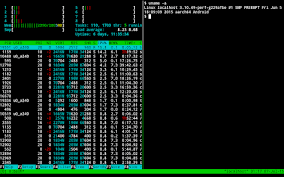
The beauty of Termux lies in its simplicity and flexibility. It doesn’t require rooting, which makes it accessible to a wide range of users. Whether you’re coding on a bus, managing a remote server via SSH, or experimenting with Linux utilities, Termux turns your smartphone into a portable development machine. Its compatibility with thousands of Linux packages and its active community make it an indispensable tool for mobile productivity.
Installing Termux APK
To get started with Termux, you need to install the Termux APK on your Android device. The application is available from multiple sources, but caution is advised when choosing where to download it. The two primary sources are F-Droid and GitHub, as updates via the Google Play Store have been suspended due to technical issues. Here’s how to install Termux APK safely:
- F-Droid Installation: Visit the F-Droid website or app, search for Termux, and download the APK. You can click the “Download APK” link at the bottom of the version section. This method ensures you’re getting a verified release, though updates may take a few days to appear after a new GitHub release. Ensure battery optimizations are disabled for the app to allow smooth updates, as advised at dontkillmyapp.com. The installation size is approximately 180MB, and only a universal APK is provided, compatible with all supported architectures.
- GitHub Installation: For those who want the latest features, the Termux GitHub repository offers APKs under the “Releases” section (version ≥ 0.118.0) or “Artifacts” in the Build Action workflows. For Android 7 and above, use the apt-android-7 variant; for Android 5 or 6, use apt-android-5. Be cautious with GitHub builds, as they are signed with a test key that anyone can use, posing a risk of malicious APKs if sourced from unofficial channels like Telegram. Always download directly from github.com/termux/termux-app to ensure security.

Before installing from a new source, uninstall any existing Termux or plugin APKs to avoid compatibility issues. Backing up your Termux environment is recommended, as outlined in the GitHub documentation, to restore settings after reinstallation.
The Role of Termux GitHub
The Termux GitHub repository (github.com/termux/termux-app) is the heart of the project’s development. It hosts the source code, release APKs, and build workflows, making it a critical resource for users and developers. The repository is maintained by the Termux developer team, who actively update the app with new features and bug fixes. Key aspects of the Termux GitHub include:
- Releases and Workflows: Official releases (version ≥ 0.118.0) are available under the “Assets” section, while nightly builds and experimental features can be found in the “Artifacts” section of GitHub Build Action workflows. These are ideal for users wanting to test cutting-edge updates or contribute to pull requests.
- Community Contributions: The repository encourages community involvement, allowing users to report bugs, request packages, or host their own repositories using tools like termux-apt-repo. The termux-packages repository also contains scripts for building official packages, signed with keys from the termux-keyring package.
- Security Warnings: The Termux GitHub page emphasizes caution with APKs signed with the community test key, as these can be forged. Always verify the source to avoid malware.
The active development on Termux GitHub ensures that the app remains up-to-date and compatible with modern Android versions, making it a reliable choice for long-term use.
Why Does Pandas Install Hang in Termux?
One common issue users encounter is the why does pandas install hang problem when attempting to install the Python pandas library in Termux. This issue often stems from dependency conflicts, outdated instructions, or missing build tools. Here’s a detailed look at the causes and solutions:
- Dependency Issues: Pandas relies heavily on NumPy, and installation errors often occur if NumPy is not properly installed or if the versions are incompatible with the Python version in use. For example, older NumPy versions may not support Python 3.11, leading to errors like “Failed building wheel for numpy” or “ModuleNotFoundError: No module named ‘numpy’” despite NumPy being installed.
- Build Tool Requirements: Installing pandas requires tools like cmake, ninja, libopenblas, libandroid-execinfo, patchelf, and binutils-is-llvm. Without these, the installation process can hang or fail, as reported in GitHub issues.
- Cache and Pip Issues: Using cached or outdated pip packages can cause hangs. The Termux community advises against running pip install –upgrade pip, as Termux uses a patched pip version to resolve compatibility issues.
Solution to Pandas Installation Issues
To successfully install pandas in Termux, follow these steps, confirmed to work as of October 2024:
- Update and Install Dependencies: bashCollapseWrapRunCopy
pkg update && pkg upgrade pkg install python build-essential cmake ninja libopenblas libandroid-execinfo patchelf binutils-is-llvm - Install NumPy: bashCollapseWrapRunCopy
MATHLIB=m LDFLAGS="-lpython3.12" pip3 install --no-build-isolation --no-cache-dir numpyReplace 3.12 with your actual Python version (check with python –version). - Install Pandas: bashCollapseWrapRunCopy
LDFLAGS="-lpython3.12" pip3 install --no-build-isolation --no-cache-dir pandasThe –no-build-isolation flag ensures that build dependencies are not isolated, and –no-cache-dir prevents reusing problematic cached files.
Alternatively, you can use the TUR repository for a precompiled pandas package:
bashCollapseWrapRunCopy
pkg install tur-repo pkg update pkg install python-pandas
If the installation still hangs, consider using an older Python version (e.g., 3.10) or switching to Pydroid 3, a Python-specific app that simplifies pandas installation via its built-in repositories. Always check the Termux GitHub issues page (e.g., issues #3814, #3048) for the latest troubleshooting tips.
Is Termux for PC Possible?
While Termux is designed for Android, many users wonder about Termux for PC—can you run Termux on a Windows, macOS, or Linux desktop? Since Termux is an Android-specific terminal emulator that leverages the Android kernel, it cannot run natively on a PC. However, there are workarounds to achieve a similar experience:
- Android Emulators: You can install Termux on a PC using an Android emulator like BlueStacks, NoxPlayer, or Android Studio’s emulator. Download the Termux APK from F-Droid or GitHub, install it in the emulator, and use it as you would on a phone. This approach simulates an Android environment, allowing Termux to function fully.
- Linux on PC: For a more native experience, consider running a Linux distribution (e.g., Ubuntu, Debian) on your PC, either natively or via a virtual machine (e.g., VirtualBox). Tools like apt and Linux terminals provide similar functionality to Termux, making this a robust alternative for desktop users.
- Windows Subsystem for Linux (WSL): On Windows, WSL2 allows you to run a Linux environment (e.g., Ubuntu) alongside Windows, providing a Termux-like terminal experience without needing an Android emulator.
- Termux:X11 for Desktop-Like Experience: While not directly related to PCs, Termux supports Termux:X11, an add-on for running graphical Linux desktop environments (e.g., XFCE) on Android. This can be installed via pkg install x11-repo && pkg install termux-x11-nightly and configured to mimic a desktop environment, offering a glimpse of what a PC-like setup might feel like.
For most users, running a native Linux terminal on a PC is more practical than emulating Termux, as it avoids the overhead of an Android emulator. However, if you specifically need Termux’s unique package ecosystem, an emulator is the way to go.
Conclusion
Termux is a game-changer for Android users, offering a powerful Linux terminal environment that rivals desktop systems. By installing the Termux APK from trusted sources like F-Droid or Termux GitHub, you can unlock a world of coding, scripting, and system administration possibilities. While issues like why does pandas install hang can be frustrating, following updated installation steps and leveraging community resources on Termux GitHub can resolve them. For those seeking Termux for PC, emulators or native Linux setups provide viable alternatives. Whether you’re a developer, hobbyist, or student, Termux empowers you to turn your Android device into a portable powerhouse, proving that great things can indeed come in small packages.